
Health technology shouldn’t demand that you become an IT specialist just to stay safe at home
As seen in the Marin Independent Journal on November 10, 2026.
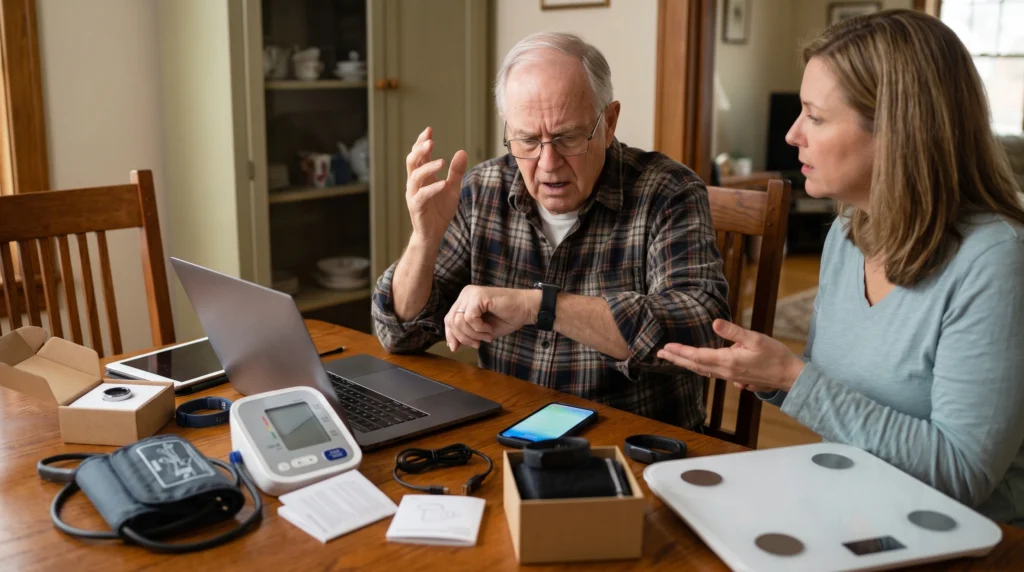
Arthur’s bedside table looked like an electronics showroom.
He’s 82, sharp as a tack and lives independently in his San Anselmo home. When I arrived for our biweekly Senior Tech Tutor Marin session, he pointed at a small cardboard pyramid of gadget boxes stacked neatly beside his lamp.
“My kids bought me all of these,” he said, his tone hovering somewhere between touched and overwhelmed. “There’s a smart ring to track my sleep, a blood pressure cuff that talks to an app on my iPad and a watch that supposedly knows if I fall down. But every morning the ring tells me I slept terribly, the watch buzzes at dinner telling me to stand up and the cuff keeps asking me to repair its Bluetooth. Honestly, Rob, I feel more anxious about my health now than before I plugged any of it in.”
Arthur is hardly alone. Across Marin, adult children with loving intentions and open wallets are outfitting aging parents with the latest crop of “digital health” devices. The marketing makes a seductive promise: strap on a sensor, download an app and your family can monitor your well-being in real time while an algorithm quietly saves your life.
The reality on the ground is messier.
Too often, consumer health tech creates what clinicians call “data noise” a constant trickle of unverified metrics that spikes blood pressure rather than monitoring it. Worse, devices that require fussy daily charging, tiny touch screens or constant software permissions end up abandoned in a nightstand drawer within six weeks. Peace of mind doesn’t come from buying a parent a mini-hospital suite. It comes from knowing the difference between digital toys and reliable safety nets, and configuring the few tools that actually matter so they work when seconds count.
The problem with overtracking
Walk into any electronics aisle and you’ll see wearables pitched as diagnostic miracles. Smart rings track your heart rate variability. Watches record your sleep stages. Smart scales calculate your visceral fat.
Here’s the inconvenient truth: most of that data is useless for daily health. Unless an older adult is training for an Ironman or managing an acute, physician-directed recovery, obsessive biometric tracking generates anxiety, not wellness. I have watched clients panic over a minor variation in their “deep sleep” score, completely unaware that consumer wearables estimate sleep stages using wrist motion and skin temperature methods that are approximate at best.
When an app floods an older adult with confusing charts, daily push notifications and alarms, tech fatigue sets in. And when tech fatigue sets in, the person simply stops wearing the device. A $400 health monitor sitting on a magnetic charger on a dresser cannot detect a fall, call for help or monitor a rhythm. The gold standard for health technology for older adults is dead simple: passive protection over active tracking. The best devices demand almost nothing from the wearer on a daily basis, quietly standing guard in the background until an emergency occurs.
What actually works: 3 reliable safety nets
If you want technology that delivers genuine safety rather than marketing hype, focus on three specific, battle-tested features:
Fall detection that calls out
Falls remain the leading cause of injury-related loss of independence for older adults. Wearable fall detection works, but only if it bridges the gap to human help.
An Apple Watch (Series 4 or later, or Apple Watch SE) uses onboard gyroscopes and accelerometers to measure rapid impact followed by a period of immobility. If it detects a hard fall, it taps your wrist, sounds an audible alarm and displays an alert. If you don’t move or cancel the prompt within about a minute, it automatically dials 911, shares your exact GPS coordinates and sends emergency text alerts to your designated family contacts.
Crucially, if you are under 55, this feature is turned off by default to prevent false alarms during sports. If you or a loved one are over 55, verify it’s turned on: open the Watch app on your iPhone, tap emergency SOS and make sure fall detection is toggled to always on.
The lock-screen medical ID
When emergency medical technicians or paramedics arrive at a home, their first priority is identifying allergies, current medications, emergency contacts and preexisting conditions. If an older adult is confused or unresponsive, responders check the wrist and the smartphone. Every modern iPhone has a built-in feature called Medical ID that requires zero monthly subscription and zero battery drain. When configured, an EMT can tap “Emergency” on your locked screen and view your vital health summary without needing your passcode.
To set this up, open the Health app on your iPhone, tap your profile picture in the top corner, select Medical ID and enter your details. Ensure that “show when locked” and “share during emergency call” are both enabled. The short time it takes to fill out can completely reshape the first 10 minutes of emergency care.
Atrial fibrillation (AFib) detection
Silent heart rhythm irregularities are a leading contributor to strokes in older adults. The optical and electrical heart sensors built into modern smartwatches can periodically check your pulse rhythm in the background and notify you if they detect an irregular pattern suggestive of AFib. This isn’t a replacement for an annual cardiology workup, but it’s one of the few consumer health metrics that physicians routinely praise because it catches asymptomatic episodes early enough to start preventative care.
The real-world friction: daily habits
Even the best technology fails if it doesn’t fit into an older adult’s real-world routine. If you are setting up health tech for yourself or an aging parent, you must account for two practical hurdles:
The charging routine
A smartwatch with fall detection has an 18-to-36-hour battery life. If an older adult takes it off at night to charge it on a desk across the bedroom, they are completely unprotected during nocturnal bathroom trips – the single most common window for domestic falls. Establish a charging habit tied to a daytime activity: Put the watch on its charger while sitting down to read the morning newspaper or taking a daily shower. Then, put it right back on.
Family sharing vs. surveillance
Many health apps allow adult children to track their parents’ daily step counts, sleep hours and location. Beware of crossing the line from security into intrusive surveillance. Technology should preserve dignity and independence, not diminish it. Focus shared alerts on emergency triggers – like SOS calls and sudden falls – rather than critiquing whether Dad took enough steps around the block before lunch.
The verdict
Back at Arthur’s kitchen table, we didn’t hook up all five gadgets.
We packed the smart ring and the talking blood pressure monitor back into their boxes so he could return them. Instead, we spent our session focused entirely on his Apple Watch. We verified that Fall Detection was set to “Always On”; spent 10 minutes entering his medications and blood type into his Medical ID and set up his daughter as his primary emergency contact. Then we practiced a dry run: holding down the side button, looking at the emergency slider and knowing exactly how to dismiss a false alarm so he wouldn’t be afraid to wear it.
Health technology shouldn’t demand that you become an IT specialist just to stay safe at home. Strip away the gadget clutter, configure the few emergency tools that actually work and leave the marketing hype on the shelf.
Rob Shore is both a community volunteer and the founder of Senior Tech Tutor Marin. He serves Marin County by offering older adults one-on-one, jargon-free help with iPhones, iPads, Macs, and the software that supports them. He can be reached at shorespeak@gmail.com or 831-221-0018. Learn more at techtutormarin.com.
Senior Tech Tutor Marin offers one-on-one, jargon-free help with iPhones, iPads, Macs, email accounts, passwords protection, photo organization, online accounts, and so much more. Our pricing starts at only $50.
Tech tutoring for seniors, by a senior.