
As seen in the Marin Independent Journal on July 21, 2026.
“Today, many of my clients at Senior Tech Tutor Marin have the same books, legal pads and stacks of Post-it notes -all honest attempts to keep track of a system that has become increasingly difficult to manage.”
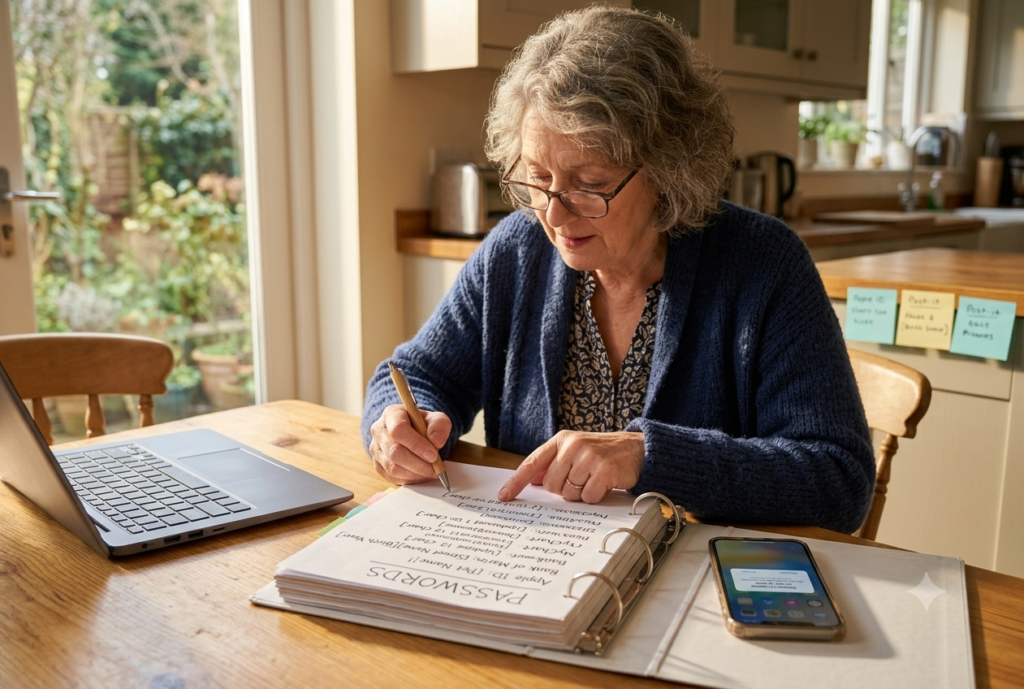
Helen found the new app she wanted in the App Store. When she went to get it on her iPhone, she was met with a request to enter her Apple account password.
First came an educated guess. Her dear departed dog’s name (first and last), followed by an exclamation point.
“Your Apple account or password is incorrect.”
One more informed try. The street she lived on as a child, followed by the year she was born.
“Your Apple account or password is incorrect.”
“Hold on,” she said. “Let me get my book.”
With that, she left our kitchen table session and walked out to her car.
She returned with the binder where she keeps her Apple account password plus passwords for her bank, insurance, utilities, shopping sites, streaming services and travel accounts everything. From her car!
The Password Paradox
Helen isn’t unusual. In fact, she’s remarkably organized.
Every time Bank of Marin, MyChart or State Farm required a stronger password, she complied.
She updated it from eight characters to 12, added the capital letter, included the special symbol and listened to online security experts who tell us not to reuse the same passwords.
Eventually, there were simply too many.
Now, she has her “book.”
Today, many of my clients at Senior Tech Tutor Marin have the same books, legal pads and stacks of Post-it notes -all honest attempts to keep track of a system that has become increasingly difficult to manage.
Here’s the irony: We’re often told that writing passwords down is bad security. But asking ordinary people to memorize dozens, or even hundreds, of unique, constantly changing passwords isn’t realistic either.
This isn’t a problem unique to older adults. Ask your kids, grandkids or younger friends where they keep their passwords, and many will admit they’re relying on their browser, their phone or a password manager. The challenge is the same. The tools are different.
Fighting The Good Fight
In 2000, “password management” meant remembering your AOL login, your email and maybe an early e-commerce site like Amazon or eBay. You could realistically keep those in your head.
Today, because we need passwords for everything, we’ve experienced exponential growth in our digital footprint. This means the traditional strategy of “memorizing them” or using variations of a pet’s name is physically impossible to maintain safely.
Here are three things that I suggest to my clients:
1. Protect Your “Master Keys”
Not unlike the housekeeper at a hotel, who can open every door to every room with one key, there are some passwords that take precedence. Your Apple account password and your primary email password are two accounts that are often the keys to recovering everything else. If you lose access to both, recovering other accounts becomes much more difficult.
2. Lean in to Passkeys, Face ID and Touch ID
More websites are beginning to replace passwords with passkeys, Face ID, Touch ID and other forms of authentication. The transition won’t happen overnight, but we’re moving toward a future where remembering dozens of passwords won’t be necessary. When a website or app offers to create a passkey or lets you sign in with Face ID or Touch ID, say yes.
3. Review Your Recovery Information
Recently, a client wanted to remove an old, no-longer-used Gmail account. To do this, Gmail requires an authorization code to be sent to her recovery email address. It turned out to be an old email address she had long forgotten. Over the years, she’d accumulated separate email accounts for personal use, work, volunteer activities and one she shared with her husband.
Many people don’t lose access to an account because they forgot the password. They lose access because their recovery email is outdated, they changed phone numbers or they no longer recognize the security questions they answered years ago.
Periodically spend a few minutes confirming that your recovery phone number and email address are still current. It’s five minutes of prevention that can save hours of frustration later.
The next time you find yourself staring at a password prompt, or reaching for your own “book,” remember that you’re not alone. Managing dozens of secure accounts has become one of the unexpected challenges of modern life.
Expecting anyone to remember dozens of unique passwords – filled with capital letters, numbers and special symbols is more than most human brains were designed to handle.
Constantly updating notebooks, legal pads and Post-it notes is both cumbersome and stress-inducing.
Technology should make life easier, not create more stress and frustration.
Fortunately, tools like passkeys, Face ID, Touch ID and password managers are helping reduce that burden.
Rob Shore is both a community volunteer and the founder of Senior Tech Tutor Marin. He serves Marin County by offering older adults one-on-one, jargon-free help with iPhones, iPads, Macs and all of the apps and programs that support them. He can be reached at shorespeak@gmail.com or 831-221-0018. Learn more at techtutormarin.com
Senior Tech Tutor Marin offers one-on-one, jargon-free help with iPhones, iPads, Macs, email accounts, passwords protection, photo organization, online accounts, and so much more. Our pricing starts at only $50.
Tech tutoring for seniors, by a senior.